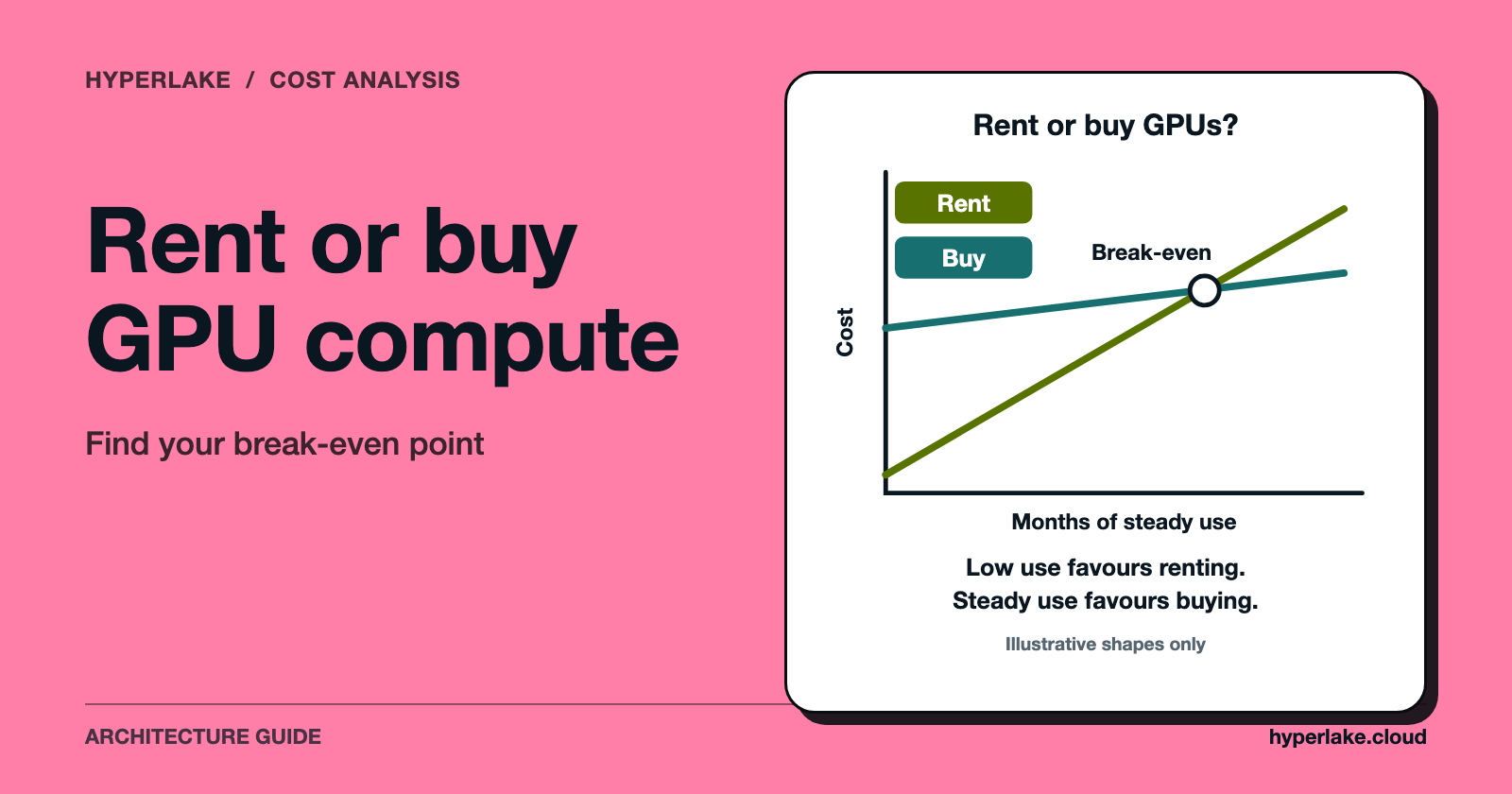
Rent GPUs when your demand is uncertain, spiky or short-lived, and buy when you can keep the hardware busy for years and already have people and a facility to run it. The deciding number is utilization: owned GPUs cost the same whether they work or sit idle, while rented GPUs only cost money for the hours you book. The worked example below uses invented prices to show the arithmetic, so replace every figure with your own quotes.
We make HyperLake, a sovereign AI operating platform. It does not sell or rent GPUs, and the section near the end says where it does and does not apply.

Is it cheaper to rent a GPU cluster or buy one?
Neither is cheaper in general. The answer flips with how many hours per year the GPUs do paid-for work, how long you keep them, and what you pay for power, space and staff.
- Renting turns cost into a variable: you pay per hour (or per reserved block) and stop paying when you stop. The risk is a high price per useful hour if you run all day, every day, for years.
- Buying turns cost into a fixed: you pay the purchase price, then power, hosting, maintenance and people, whatever the load. The risk is paying for idle or obsolete hardware.
So the comparison is not "rental price vs purchase price". It is the cost per useful GPU-hour under each option, at the utilization you will really reach.
What does renting a GPU cluster actually involve?
"Rental" covers several different arrangements, and they behave differently:
- On-demand rental by the hour, with no commitment. Flexible, but capacity is not guaranteed at the moment you need it.
- Committed or reserved terms, where you agree to a period in exchange for a lower rate or guaranteed capacity. You pay for the commitment even if you use less.
- Reserved cluster blocks for a fixed window. As an example of how one provider describes this, as of October 2026 Amazon EC2 Capacity Blocks for ML lets you reserve accelerated instances for a future start date up to eight weeks ahead, for up to six months, in sizes from one to 64 instances. This suits a training run with a known start and end.
- Managed or dedicated clusters from specialist GPU providers, often with their own networking and storage terms. Check each provider's own terms; they vary.
Whichever you choose, read what the rate includes. Storage, data transfer out, networking between nodes and support are sometimes billed separately, and those lines can matter for training.
What does buying on-premises compute really cost?
The purchase price is only the first line. A fair ownership model includes:
- Hardware: GPUs, the servers that host them, and a share of the fast networking and storage that make them a cluster.
- Facility: rack space, power delivery, and cooling. Dense GPU servers can need more power and cooling than an ordinary server room was built for, so check this early.
- Power: the electricity the cluster draws, including cooling overhead.
- People: someone to rack, patch, monitor, replace failed parts and keep drivers and firmware current.
- Spares and support: warranty, replacement parts, and the time to repair or return failed units.
- Cost of capital: money tied up in hardware that could have been used elsewhere.
- Depreciation and obsolescence: the hardware's useful life. You may keep it running for longer than you planned, or decide a newer generation is worth switching to sooner.
Delivery lead times and a data center build-out can also delay the date you start getting value. A rented cluster can start earlier.
How do you compare them? A worked example (hypothetical numbers)
Every figure in this section is hypothetical. They are round numbers chosen to show the method, not market prices. Use your own quotes.
Assumptions for one owned GPU, all-in:
| Item | Hypothetical value |
|---|---|
| Purchase price including server and network share | $30,000 |
| Useful life | 4 years |
| Power, cooling and hosting | $1,500 per year |
| Staff and support share | $2,000 per year |
| Rental rate for a comparable GPU | $3.00 per GPU-hour, billed only for hours used |
Step 1: yearly cost of owning one GPU.
Hardware spread over its life: $30,000 / 4 = $7,500 per year.
Add power and hosting ($1,500) and staff share ($2,000): $7,500 + $1,500 + $2,000 = $11,000 per year.
This ignores cost of capital, which would raise it.
Step 2: cost per hour owned.
A year has 8,760 hours (365 x 24). $11,000 / 8,760 = about $1.26 per hour, whether the GPU works or not.
Step 3: cost per useful hour.
If the GPU does useful work for a fraction u of those hours, the cost per useful hour is $1.26 / u. At 25 percent utilization that is $1.26 / 0.25 = about $5.02 per useful hour, which is more than the $3.00 rental rate. At 80 percent it is $1.26 / 0.80 = about $1.57, which is less.
Step 4: break-even utilization.
Owning wins when $1.26 / u < $3.00, so u > 1.2557 / 3.00 = about 42 percent.
Check it in yearly dollars. At 20 percent utilization the GPU works 1,752 hours (0.20 x 8,760). Renting those hours costs 1,752 x $3.00 = $5,256, against $11,000 to own. At 80 percent it works 7,008 hours, so renting costs 7,008 x $3.00 = $21,024 against $11,000.
How sensitive is the answer?
Change one assumption at a time and the break-even moves a lot:
| Change from the example | Break-even utilization |
|---|---|
| Base case ($3.00 rental, 4-year life) | 42% |
| Rental rate falls to $2.00 | 63% |
| Rental rate rises to $4.00 | 31% |
| Life shortened to 3 years (yearly cost $13,500) | 51% |
The arithmetic: $11,000 / 8,760 = $1.2557 per hour, divided by $2.00 gives 62.8 percent and by $4.00 gives 31.4 percent. With a 3-year life, $30,000 / 3 = $10,000, plus $3,500 = $13,500; $13,500 / 8,760 = $1.5411, divided by $3.00 gives 51.4 percent.
The lesson is not the 42 percent. It is that the break-even depends on prices you can look up and on a utilization you must honestly forecast. Utilization is easy to overestimate, because planned load is usually higher than average load once holidays, failed jobs, queueing gaps and model changes are counted.
What is the break-even utilization, and how do you estimate yours?
Break-even utilization is the share of hours the owned GPUs must do useful work for ownership to match renting. To estimate your own:
- Take your all-in yearly cost per GPU (hardware over its life, power, hosting, staff, spares).
- Divide by 8,760 to get cost per hour owned.
- Divide by the rental rate you are really comparing against.
- Compare the result to the utilization you can sustain, measured from real jobs and not peak days.
For an LLM-serving workload, the other half of the problem is how many GPUs you need in the first place. How Many GPUs Do I Need to Serve an LLM? walks through that, and our free LLM API vs self-hosted GPU cost calculator lets you enter your own prices and volume. It ships no price data; its example button fills in round numbers only to show the arithmetic. If your real choice is a pay-per-token API against your own GPUs, Is Self-Hosting an LLM Worth It vs an API? covers that separate comparison.
Which workloads favour renting, and which favour buying?
| Workload pattern | Leans toward | Why |
|---|---|---|
| One-off or occasional training runs | Rent | You need a lot of GPUs for a short time, then none |
| Experiments, prototypes, evaluation | Rent | Demand is uncertain and changes weekly |
| Steady, high-volume inference around the clock | Buy (or long commitment) | Utilization can stay high |
| Bursty inference with high peaks | Rent or hybrid | Owning for the peak leaves GPUs idle off-peak |
| Strict data residency or air-gapped environment | Buy or private cloud | Data cannot leave your control |
| No data center, power or ops staff | Rent | The hidden ownership costs are real |
Our read: if you cannot name the workload that will keep the GPUs busy for most of their life, renting is the safer starting point.
Is a hybrid approach better?
Often. A common pattern is to own enough capacity for the steady base load and rent for peaks, large one-off training runs, or trying a newer GPU generation before committing to buy it. This limits the main risk of each side: idle owned hardware and expensive always-on rental. It does add the work of running two environments and moving data between them, so include that effort in the model. For background on mixed deployments, see On-Premises AI: Self-Hosted and Hybrid Deployment.
What costs do people forget?
- Data movement. Egress fees to move datasets and checkpoints out of a rented environment can change the comparison.
- Idle time while you wait. Reserved capacity that sits unused between jobs still bills.
- Failure and replacement. Owned parts fail; someone has to detect it and fix it.
- Software and licences. Cluster management, monitoring and support subscriptions.
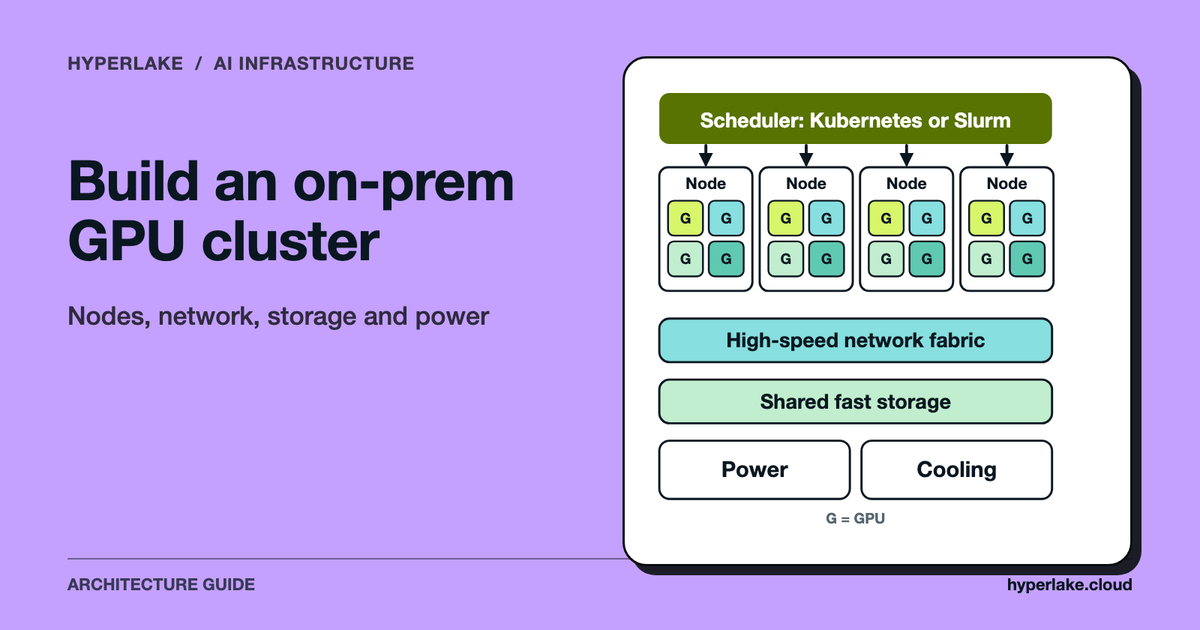
- The build. If you are planning an owned cluster, see How to Build an On-Prem GPU Cluster for AI for the architecture and networking decisions that drive cost.
- Opportunity cost. Cash spent on hardware is cash not spent elsewhere.
For the broader cost picture, Economics of Large Language Models: What Drives Cost explains where AI spend comes from.
Where does HyperLake fit?
HyperLake does not sell or rent GPUs, and it does not make this decision for you. It is a platform for assembling, deploying and governing the data, models and applications behind AI in your environment or your clients'. According to HyperLake's product description, it deploys on AWS and Google Cloud today, with Azure, OVH, private cloud and on premises coming soon, and it uses Kubernetes to keep services portable. That matters here in one narrow way: the aim is that if you rent in one place and own in another, the same deployment approach can span both, though owned on-premises capacity isn't supported yet. It does not change the arithmetic above, and it does not apply if you only need raw GPU hours for a single training job.
Frequently asked questions
How long do I have to use a GPU for buying to make sense?
There is no universal number. It depends on utilization, rental rate and the hardware's useful life. In the hypothetical example above, a GPU kept busy about 42 percent of all hours breaks even with a $3.00 hourly rental. Work out your own figure with the steps in this article.
Is cloud GPU rental cheaper than on-premises for AI training?
For short or occasional training, usually yes, because you pay only while the job runs and avoid buying hardware that then idles. For training that runs nearly continuously for years, owning can cost less per useful hour. Compare quotes with your own forecast.
What are the hidden costs of buying GPUs on premises?
Power and cooling capacity, networking and storage that make the GPUs a cluster, staff time, spare parts and support, delivery lead time, and the money tied up in the purchase. Include them before comparing with a rental rate.
Can I rent GPUs for a fixed period and guarantee capacity?
Some providers offer reservations. For example, as of October 2026 Amazon EC2 Capacity Blocks for ML lets you reserve instances for a future start date, up to six months, per the provider's page. Terms differ by provider and instance type, so check each one.
Should I buy GPUs or use an API for inference?
That is a different comparison: pay-per-token vs your own GPUs, rented or bought. The self-hosting answer and the cost calculator cover it.
What if my GPU needs change in a year?
That is the main argument for renting or a short commitment. If you buy, you carry the risk that your workload shrinks, grows past your capacity, or that newer hardware changes the price per useful hour.