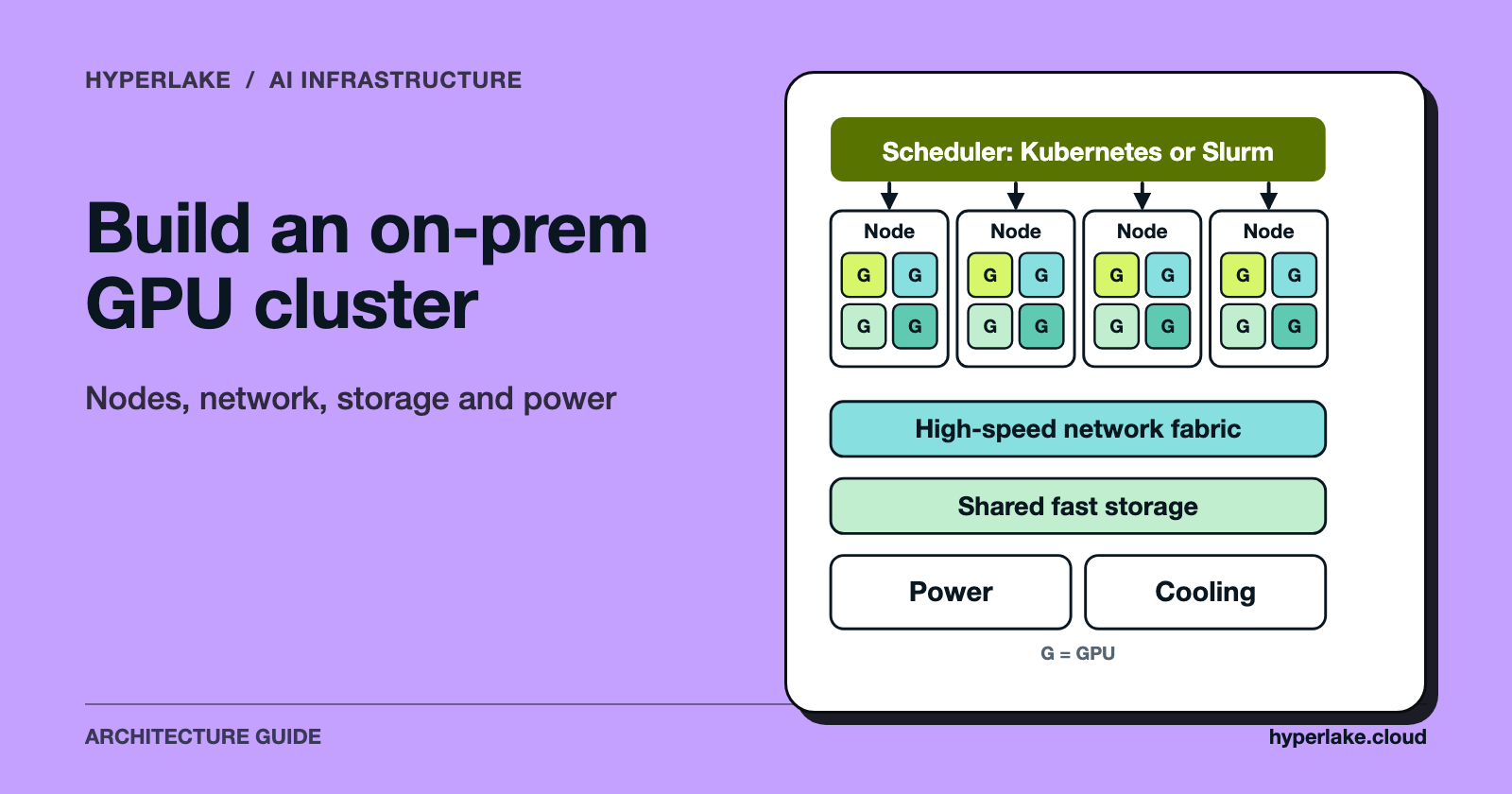
You build an on-prem GPU cluster in a fixed order. Size it from the workload (model size, concurrency, training or serving). Pick a network fabric that matches how much the GPUs need to talk to each other. Give the GPUs storage that keeps them fed, choose a scheduler, then check that your facility can supply the power and get rid of the heat. Cost follows from those choices and from how busy the cluster will be, not from the GPU count alone.
We make HyperLake, a sovereign AI operating platform. It doesn't sell or design GPU hardware, and the short section near the end says where it fits.

What does an on-prem GPU cluster architecture look like?
People usually describe a cluster as layers. NVIDIA's published reference design for its DGX H100 SuperPOD is a handy public example, because it names each layer separately: compute nodes, a compute fabric, a storage fabric, an in-band management network and an out-of-band management network (NVIDIA DGX SuperPOD reference architecture). Other vendors carve it up differently, but the same questions keep coming back.
| Layer | What it does | Question to answer |
|---|---|---|
| Compute nodes | Hold the GPUs, CPUs and local memory | How many GPUs per node, and how are they linked inside the node? |
| Compute fabric | Carries GPU-to-GPU traffic between nodes | Do jobs span nodes often enough to need a dedicated, high-bandwidth fabric? |
| Storage fabric | Moves datasets and checkpoints | What read rate per node keeps the GPUs busy? |
| Management network | Provisioning, scheduler and monitoring traffic | Is it separate from the data paths? |
| Out-of-band network | Reaches server BMCs, switches and power distribution | Can you recover a node with no working OS? |
| Scheduler and software | Allocates GPUs to jobs | Kubernetes, Slurm or both? |
| Facility | Power, cooling, floor loading | Can the room carry the load? |
The NVIDIA design is built for large training clusters. A small serving cluster may need only some of these layers. That's the first sizing decision.
How do you size an on-prem GPU cluster?
Start from the workload, not from a GPU model. Three questions drive nearly everything:
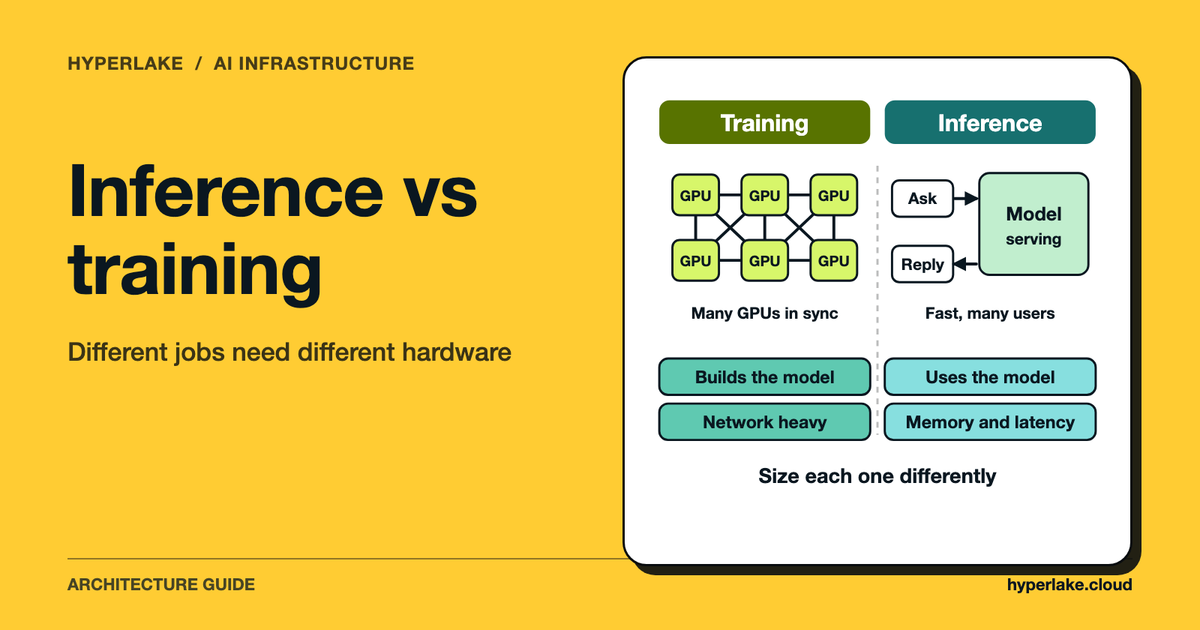
- Training, fine-tuning or serving? Training and large fine-tuning jobs spread one job across many GPUs and care a lot about the network. Serving many independent requests usually cares less, because each model replica can live on one node.
- How big is the model? If it doesn't fit in one GPU's memory, it has to be split across GPUs, and that pulls in fast links inside a node and maybe between nodes.
- How many users at once? Concurrency sets how many replicas you need.
For serving, our existing answer walks through the memory, concurrency and replica arithmetic: How Many GPUs Do I Need to Serve an LLM?. For how training and inference differ in what they need, see AI Inference vs Training: Understanding Infrastructure Requirements in 2026.
Two habits help. First, size for the job you'll run in year one, and leave rack space, power and switch ports for growth instead of buying the final size on day one. Second, match the unit you buy to the unit that fails. You replace a node, not a single GPU.
What is inside a GPU node?
Look at one real node and the layers start to make sense. NVIDIA's DGX H100 user guide lists, for one system (DGX H100 user guide):
- eight H100 GPUs with 640 GB of total GPU memory
- NVLink and NVSwitch providing 900 GB/s of GPU-to-GPU bandwidth inside the node
- eight ConnectX-7 single-port InfiniBand cards for the cluster network, up to 400 Gbps each
- two dual-port ConnectX-7 Ethernet cards for storage and in-band management
- a 1 GbE port for the out-of-band BMC
- an 8U chassis
What matters for planning is how the traffic splits. GPU-to-GPU traffic inside the node goes over NVLink, traffic between nodes uses the compute fabric, and storage and management get their own Ethernet ports. Other server makers and GPU vendors build nodes differently, so check the exact specification of whatever you buy.
How should you design the GPU cluster network fabric?
This is where on-prem clusters most often disappoint. A weak network doesn't throw an error. It just leaves GPUs idle.
Keep the networks separate. The NVIDIA reference design uses an InfiniBand compute fabric, a separate storage fabric, an Ethernet in-band management network and a separate out-of-band network. Keeping them apart stops a big file read from slowing down a training step.
Plan the topology. The same reference describes groups of 32 nodes that are "rail-aligned," where traffic on a given rail is one hop from the other 31 nodes in the group, and traffic between rails goes through a spine layer. In that design a single scalable unit is a 32-node layout with one system removed for fabric-management connectivity, leaving 31 nodes (248 GPUs), and it uses 8 leaf and 4 spine switches. Those numbers belong to that product design, not to every cluster. They do show how fast switch counts climb.
Choose InfiniBand or Ethernet on evidence. The DGX H100 guide lists both InfiniBand and Ethernet options for the cluster network, so you aren't forced either way. Go by the vendor's supported configurations, your team's operating experience and the support you can buy, and ask each vendor how the design behaves under congestion. We don't rank the two.
And ask whether you need the fast fabric at all. If each model replica fits on one node and requests are independent, a good Ethernet network may be enough, and a dedicated GPU fabric is mostly spend you can put off. If you train or fine-tune across nodes, the fabric is part of the compute.
For how model splitting maps onto the network, see Tensor Parallelism vs. Pipeline and Sequence Parallelism.
What storage does a GPU cluster need?
Storage has two jobs: feed training data and write checkpoints, and hold model weights and data for serving. NVIDIA's reference design states that per-node storage I/O "must exceed 40 GBps" for maximum bandwidth in that design, which is why storage gets its own fabric there. For your cluster, work backwards. How much data does a node read per second at full speed, and can storage deliver that to every node at once?
Some stacks cut overhead on this path. NVIDIA GPUDirect Storage lets data move between storage and GPU memory without a staging copy through CPU memory, and falls back to a compatibility mode when a direct path isn't available (GPUDirect Storage overview). It needs support from the storage system and the software, so confirm that before you count on it.
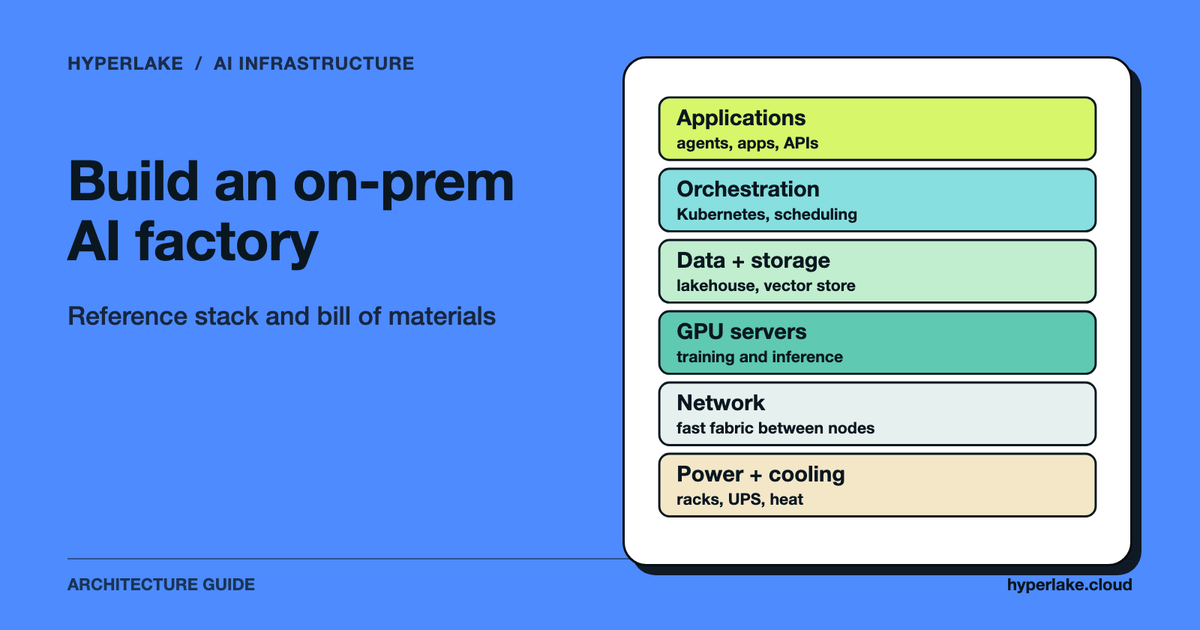
Then there's the data layer around the cluster: object storage, a lakehouse or vector stores that feed the models. That sits outside the cluster itself, and the on-premises AI factory article covers the wider stack.
How do you schedule GPU workloads: Kubernetes or Slurm?
They tackle overlapping problems in different ways.
| Kubernetes | Slurm | |
|---|---|---|
| How GPUs are exposed | A vendor device plugin advertises a resource such as nvidia.com/gpu | Generic resources (GRES) defined in configuration |
| How jobs ask for GPUs | A pod sets a GPU limit | --gres or --gpus options |
| Typical fit | Long-running services, APIs, mixed workloads | Batch jobs, queues, shared research or training clusters |
On Kubernetes, the documentation says GPUs are specified in limits, can be set with a limit alone (the limit is then used as the request), and if you set both they must be equal (Kubernetes: Schedule GPUs). Here's a generic illustration of a pod asking for one GPU:
# Illustration only: names and image are placeholders.
apiVersion: v1
kind: Pod
metadata:
  name: example-inference
spec:
  containers:
    - name: model-server
      image: registry.example/model-server:1.0
      resources:
        limits:
          nvidia.com/gpu: 1
NVIDIA's GPU Operator automates the node software for Kubernetes: the driver, the device plugin, the container toolkit, GPU Feature Discovery for node labels and DCGM-based monitoring (GPU Operator overview).
Slurm's documentation treats GPUs as generic resources, enabled in slurm.conf and described per node in gres.conf, with job options such as --gpus-per-node and support for MIG, MPS and sharing (Slurm GRES). A matching illustration:
# Illustration only: request 2 nodes with 8 GPUs each for a batch job.
sbatch --nodes=2 --gpus-per-node=8 train.sh
Our read: if the cluster mostly serves models behind APIs, Kubernetes is the natural base. If it's a shared queue for training and research jobs, Slurm is often the more familiar tool. For serving on Kubernetes, see LLM Deployment at Scale: Production Architecture and Kubernetes Self-Healing: How Control Loops Replace Pods.
How much power and cooling does a GPU cluster need?
Check this before you order anything. NVIDIA's DGX H100 guide gives a heat output of 38,557 BTU/hr per system, an operating temperature range of 5 to 30 degrees Celsius and front-to-back air cooling. At about 3,412 BTU/hr per kilowatt, that's roughly 11.3 kW of heat per system (our conversion).
A hypothetical rack shows the arithmetic. Four such systems take 32U (4 x 8U) and would put about 45 kW of heat into the room (4 x 11.3 kW, rounded). Plenty of general-purpose server rooms weren't designed for a rack like that. Ask your facilities team for the per-rack power and cooling limit before you decide how many nodes go in a rack.
Rack-scale systems go further still. NVIDIA describes the GB200 NVL72 as a liquid-cooled rack-scale design with 72 GPUs in one NVLink domain (GB200 NVL72). Planning for liquid cooling? Treat it as a facility project with its own lead time, not a server option.
Don't forget the room itself: floor loading, power distribution, redundant feeds, and out-of-band access to the power distribution units so you can recover nodes remotely.
How much does an on-prem GPU cluster cost?
We don't quote hardware prices here. They move fast and depend on vendor, quantity and support terms. Build your own model from these lines:
- Compute nodes (GPUs, CPUs, memory, local storage)
- Networking (compute fabric, storage fabric, management and out-of-band switches, optics and cabling)
- The storage system
- Facility (power distribution, cooling, racks, any retrofit)
- Software and support (operating system, scheduler, monitoring, vendor support contracts)
- Operations (staff time for patching, failures and upgrades)
- Electricity, which depends on average draw, your facility overhead and your rate
A hypothetical electricity example: a cluster averaging 10 kW of IT load runs 10 x 8,760 hours = 87,600 kWh a year. If facility overhead multiplies that by 1.4, you pay for 122,640 kWh. At an assumed $0.10 per kWh, that's about $12,264 a year. All three inputs (10 kW, 1.4, $0.10) are made up for illustration, so use your own.
Utilization moves the answer more than anything else. Suppose, hypothetically, one GPU costs $10,000 a year all-in. Used around the clock (8,760 hours), that's about $1.14 per GPU-hour. At 40% utilization (3,504 hours), the same GPU costs about $2.85 per useful hour. The hardware didn't change. The idle time did.
Should you rent or buy GPUs?
Renting makes sense for short or uncertain demand. Owning tends to make sense when demand is steady enough to keep the cluster busy and data has to stay in your own environment. Compare cost per useful GPU-hour at your expected utilization, with your own numbers, and weigh the non-price factors too: data control, hardware lead times and the staff to run it all. For the wider case for moving workloads on premises, see What is Cloud Repatriation? Why AI Workloads are Moving On-Premises, and to test your assumptions, try the LLM API vs Self-Hosted GPU Cost Calculator.
Where does HyperLake fit?
HyperLake isn't a hardware vendor and doesn't design GPU clusters. According to its product description, it's a platform for assembling, deploying and governing the data, models and applications behind AI in a customer's own infrastructure or a client's. Today it runs in the customer's own cloud account on AWS and Google Cloud. Private cloud and on-premises deployments are coming soon, and the foundation uses Kubernetes to keep services portable. If you're choosing racks, switches and cooling, HyperLake isn't the piece that helps. It becomes relevant later, once you're asking how models and data services run on that capacity and who can reach them. The wider stack is covered in the on-premises AI factory reference architecture article linked below.
Frequently asked questions
What is the difference between a GPU cluster and a single GPU server?
A single server holds a few GPUs linked inside the box. A cluster connects several servers with a network, shared storage and a scheduler, so jobs can span nodes and lots of users can share the capacity.
Do I need InfiniBand for an AI cluster?
Not necessarily. Reference designs for large training clusters use InfiniBand, but NVIDIA's own DGX H100 guide lists Ethernet options as well. When model replicas fit on one node and requests are independent, the network matters less than it does for multi-node training.
Kubernetes or Slurm for a GPU cluster?
It depends on the work. Kubernetes suits services and mixed workloads, and Slurm suits batch queues. Both can allocate whole GPUs and both can share or partition them, so decide by workload pattern and team skills.
How do I size the cluster for LLM serving?
Estimate model memory first, then concurrency, then replicas. The worked steps are in our answer on how many GPUs you need to serve an LLM.
Can I run an AI cluster in an ordinary server room?
Only if the room can supply the power and remove the heat. One DGX H100 system is rated at 38,557 BTU/hr of heat output, so check per-rack limits first and work out where the cooling capacity will come from.
What is cheaper, renting or building?
That turns on utilization, duration and data requirements. Compare cost per useful GPU-hour using your own inputs instead of a general rule.