MCP authentication and authorization protect AI agent connections by answering two separate questions: which client or workload is connecting, and whether that identity may invoke a particular tool or access particular data. Production deployments also need audit logs that connect every MCP operation to an identity, request, and result.
This distinction matters as the Model Context Protocol moves beyond local developer tools into shared enterprise infrastructure, where agents can reach sensitive systems and act for users. The video above walks through the core ideas.
What is MCP authentication and authorization?
Authentication confirms that an MCP client is the user, application, or agent it claims to be. Authorization determines whether that authenticated identity may perform the specific operation it requested.
The two controls solve different problems. A client can present valid credentials but still lack permission to invoke a sensitive tool, retrieve a protected document, or modify a system. Treating successful login as unrestricted access gives agents more authority than their tasks require.
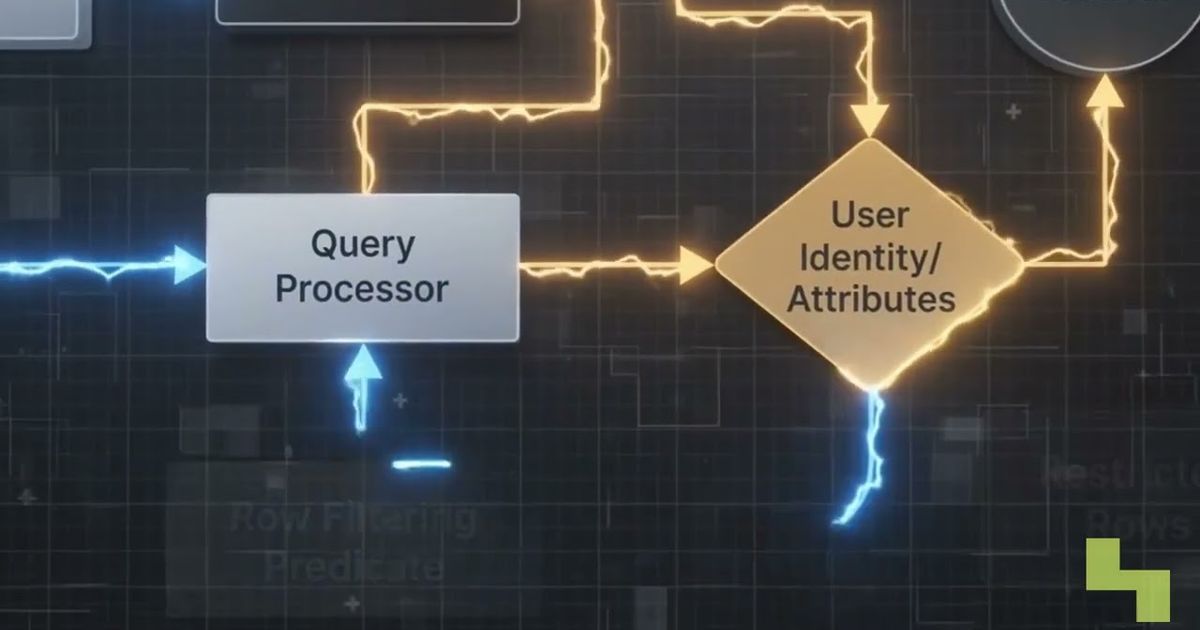
Authorization can combine token scopes with roles, attributes, resource policies, and tool-specific checks. The right design depends on the environment, but every decision should preserve the identity behind the request and apply least privilege. This is closely related to broader patterns for LLM access control and RBAC.
How does security differ for local and remote MCP servers?
Local MCP servers often rely implicitly on the host application's permissions, while remote servers require an explicit identity and access boundary. A local subprocess runs in the caller's environment and usually inherits the access available on that machine.
That model is practical for individual development because the local machine acts as the security boundary. It becomes dangerous when copied into production or a multi-user environment: inherited permissions may expose every connected client to the same files, credentials, or services.
A remote MCP server cannot safely assume that every network connection is trusted. It needs to authenticate the client, validate its token, authorize each requested operation, and retain an attributable record of what happened.

How does OAuth 2.1 secure remote MCP connections?
Remote MCP servers use an OAuth 2.1 flow as the foundation for issuing scoped access tokens. The flow separates the agent-facing client, authorization service, and MCP resource server instead of relying on shared credentials.
When an agent connects, the server directs the client to an authorization endpoint. The client completes the applicable consent and token issuance process, then presents the resulting token when requesting tools or data.
Several protections matter:
- Scopes limit the access represented by the token.
- PKCE protects the authorization code exchange from interception and reuse.
- Resource binding limits the token to its intended server, helping prevent replay against another system.
- Server-side validation should verify the token before any tool executes.
A valid token is not permission to perform every action. The MCP server must still compare the presented identity and scopes with the requested tool, resource, and operation.

How does enterprise-managed MCP authorization work?
Enterprise-managed authorization lets organizations provision MCP server access centrally through their existing identity provider. Users and agents can inherit approved access at login rather than completing a separate consent flow for every server.
The earlier approach created a prompt for each MCP server that a user or agent needed. That may be manageable for a few developer tools, but it adds friction and inconsistent decisions when an organization operates many servers.
The Enterprise-Managed Authorization extension reached stable status in June 2026. Central provisioning does not eliminate authorization checks; it moves entitlement management into an organizational identity process while MCP servers continue to enforce scoped access. Teams still need to define which users, groups, and workloads may reach each server and what they may do there.
What should MCP audit logs record?
Every MCP tool call should generate an audit event tied to the identity that initiated it. At minimum, the event should record the identity, invoked tool, supplied parameters, and returned result.
This record supports incident investigation, compliance evidence, and accountability for agent behavior. If an agent or credential is compromised, investigators need to trace the affected identity to the exact operations it performed rather than infer activity from general application logs.
Because parameters and results may contain sensitive data, audit pipelines also need suitable access controls and handling policies. Logging should preserve enough context to reconstruct an action without creating an uncontrolled secondary repository of secrets or protected information. A broader AI audit checklist can help place MCP events within the full governance record.
Key takeaways
- Authentication identifies an MCP client, while authorization decides whether it may perform a specific action.
- Local subprocess permissions are suitable for development but are not a sufficient boundary for shared production systems.
- Remote MCP connections use OAuth 2.1, scoped tokens, PKCE, and resource binding to reduce credential and replay risks.
- Enterprise-managed authorization centralizes MCP entitlements through an organization's identity provider.
- Audit logs should connect every tool call to its identity, parameters, and result.
How Hyperlake helps
Hyperlake makes infrastructure callable through an application, CLI, and MCP-compatible tools while keeping data, models, applications, and keys in customer-controlled infrastructure. Its identity-to-data model can use OAuth/OIDC sign-in, validated JWT identity, OPA policy decisions, and enforcement and logging at integrated access points; specific integrations depend on the deployment. To discuss a governed agent environment, talk to our team.
Frequently asked questions
Is authentication enough to secure an MCP server?
No. Authentication identifies the client, but it does not determine whether that client may invoke a particular tool, read a dataset, or perform a consequential action. The server also needs authorization checks tied to the requested operation, plus audit records showing what the authenticated identity actually did.
Can organizations avoid asking users to approve every MCP server separately?
Yes, where the Enterprise-Managed Authorization extension is supported. An organization can provision approved MCP server access through its existing identity provider, allowing users and agents to inherit access when they sign in. Individual servers must still validate identity and enforce the permissions associated with each request.
What is the minimum useful audit event for an MCP tool call?
A useful event identifies the user or workload, names the tool, records the supplied parameters, and captures the result. It should also contain enough request context to connect related activity during an investigation. Sensitive parameters and outputs require controlled storage and access because audit logs can contain protected information.