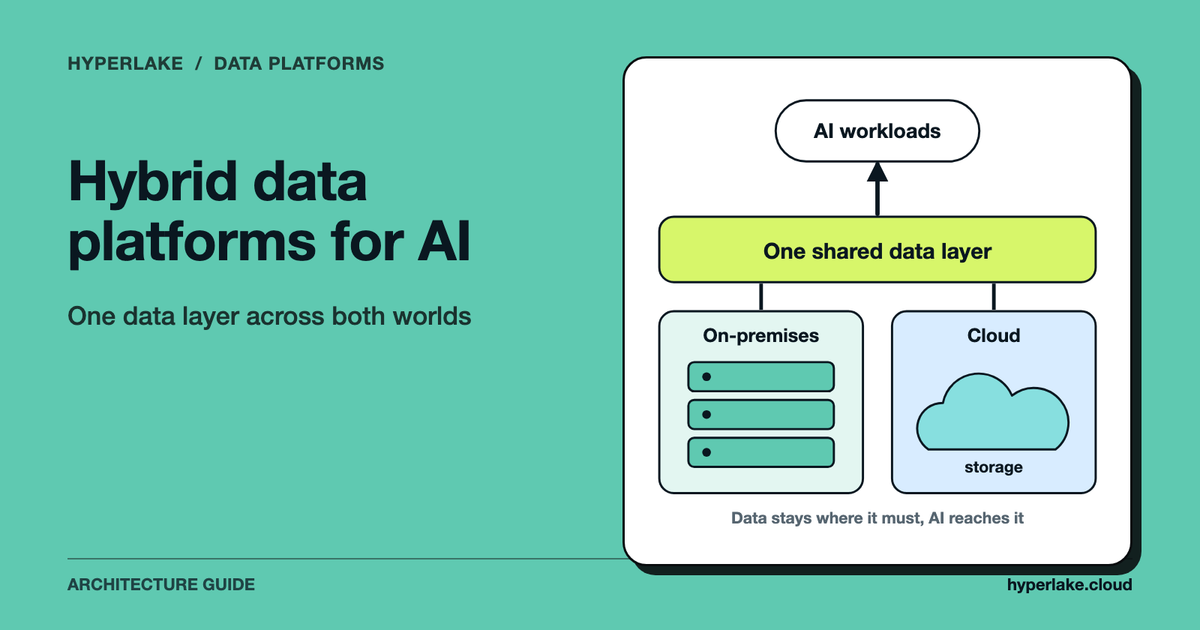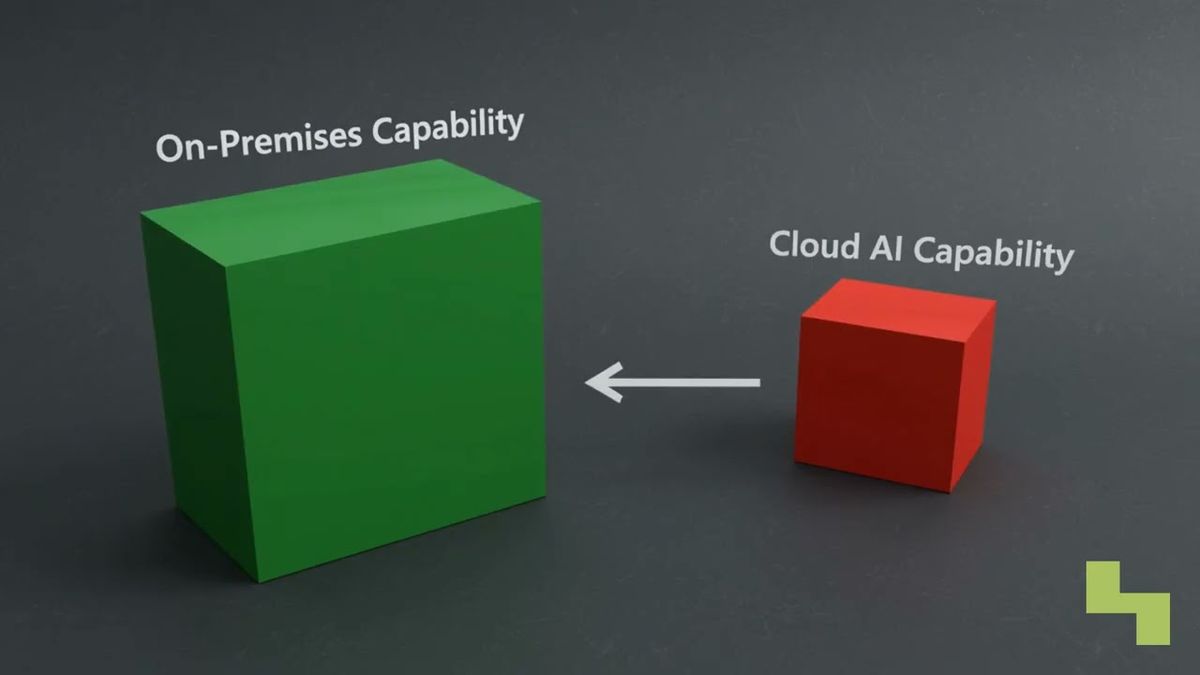
Picking one side is the mistake. Local AI vs cloud AI is best treated as a workload-routing decision: local models give you tighter control, privacy, predictable capacity costs and offline operation, while cloud frontier models usually bring the strongest reasoning for hard tasks. A hybrid AI setup sends each request to the environment that fits it.
Send everything to the cloud by default, and you can expose sensitive context and run up variable usage charges. Force everything onto local hardware, and you cap model quality and capacity.
When should an AI workload use a cloud model?
When the local machine can't do the job. That means frontier-level reasoning, a bigger context, a modality local hardware can't handle, quick access to specialized capabilities, or temporary capacity beyond the local environment. Complex research, hard planning, advanced code analysis and demanding multimodal interpretation can all justify escalation.
Does every prompt then go straight to the cloud? No. Strip out unnecessary personal information, secrets and proprietary context before escalating, and read the provider's terms on retention, training, regional processing, access controls and logging, since protections differ by service and contract.
Money matters here as well. Cloud costs usually scale with tokens, requests, tools, storage or provisioned capacity, while local infrastructure swaps some of that variable spend for hardware, electricity, maintenance and operations.
So which is cheaper? It depends on utilization and the shape of the workload, as the economics of large language models explains.
Why should routine AI workloads run locally?
Because most of them are boring, frequent or sensitive, and often all three. Document classification, private search, summarization, extraction, coding assistance and narrowly scoped agents fit well, especially when they touch sensitive information, need to work offline or sit comfortably on the hardware you have.
Prompts, retrieved documents and outputs can stay inside controlled infrastructure. A fully local workflow needs no provider API logs or external prompt processing, so third-party exposure shrinks. Downloaded models keep working through an internet outage, and with no per-token meter for local inference on owned hardware, capacity costs are predictable. You also decide retention, access, networking and updates.
Local doesn't automatically mean private AI, though. Applications may still call external APIs, telemetry services, search tools or hosted vector databases. Check the complete data path, and apply the same controls you'd use in an on-premises AI deployment; where the model runs is only one part of it.
Local AI vs cloud AI: what's the difference?
Think of a home gym versus the commercial gym downtown. The home gym is private, close by and there on your schedule. The commercial one has specialized heavy equipment you'd never fit at home.
Most routine work can stay local. Go to the big gym for the select few hard jobs.
In practice, local AI runs model inference on hardware you or your organization control, and cloud AI sends requests to infrastructure an outside provider operates. They differ on model capability, data handling, availability, capacity and cost structure.
A downloaded local model can keep working with no internet, as long as the machine has power and the application doesn't lean on external tools. Data can stay on the device or in private infrastructure when the whole workflow is set up locally, retrieval, logging and tool use included. Cloud services put large models and serious compute within reach without buying and running the hardware yourself. Prominent frontier services such as ChatGPT, Claude and Gemini are operated by US companies, and they often do better on complex reasoning, broad knowledge and demanding multimodal tasks.

How do you design a hybrid AI setup?
Classify each request and route it by sensitivity, capability needs, availability and cost. The local model takes suitable work first, and an approved cloud model gets the tasks that need what the local environment can't give.
Six checks make a workable routing process:
- Classify the data: personal information, credentials, confidential documents and regulated records.
- Estimate difficulty. Can a smaller local model do the task reliably?
- Check dependencies, meaning internet access, external tools or cloud-only modalities.
- Apply policy: allow, redact, block, or ask for approval before context leaves the controlled environment.
- Route and record. Pick an approved model, then log the decision, identity, destination and policy outcome.
- Evaluate results regularly, because model behavior, applications and workload needs change.
Plan for failure too. If the network drops, the application can fall back to a capable local model for eligible tasks. If local capacity is saturated, policy may allow cloud bursting for non-sensitive work.
In our view one rule shouldn't bend: consequential actions still need proper authorization or human approval, whichever model made the recommendation.

How Hyperlake helps
Hyperlake is the AI cloud for your team and your agents, on your cloud. It lets teams assemble and operate open and custom models, governed data services, applications and tools in infrastructure they or their clients control. It supports private AI patterns with identity-aware access, policy enforcement, scoped secrets, audit and model serving through KServe, subject to the selected deployment and validated integrations. Today that means your own AWS or Google Cloud account, with private cloud and on-premises infrastructure coming soon. To discuss a controlled AI environment, talk to our team.
Frequently asked questions
Can local AI continue working without an internet connection?
Yes. A downloaded model can run offline when its runtime, interface, data and required tools are all available locally. Features like web search, hosted retrieval, license checks or external APIs may still need connectivity. And the device needs enough memory, compute, storage and power.
Is local AI free after purchasing the hardware?
Local inference usually avoids per-token API charges, but it isn't free. You still pay for hardware, electricity, cooling, storage, maintenance, upgrades and engineering time. Owned capacity looks better the more consistently workloads use it, so work out the economics per workload instead of assuming.
Does running a model locally guarantee that data stays private?
Unfortunately not. The model may run locally while the surrounding application sends telemetry, prompts, documents or tool requests to external services. Privacy means reviewing the whole workflow: restrict outbound connections, control logs and secrets, authenticate users, and verify where retrieval systems, databases and agent tools run.
How should a hybrid AI router choose between local and cloud models?
It should weigh data classification, task complexity, required modalities, latency, local capacity, connectivity, cost and organizational policy. Sensitive or routine work can stay local, while approved difficult tasks get redacted and escalated to a cloud model. Make routing decisions observable, and require human approval where consequences or policy call for it.