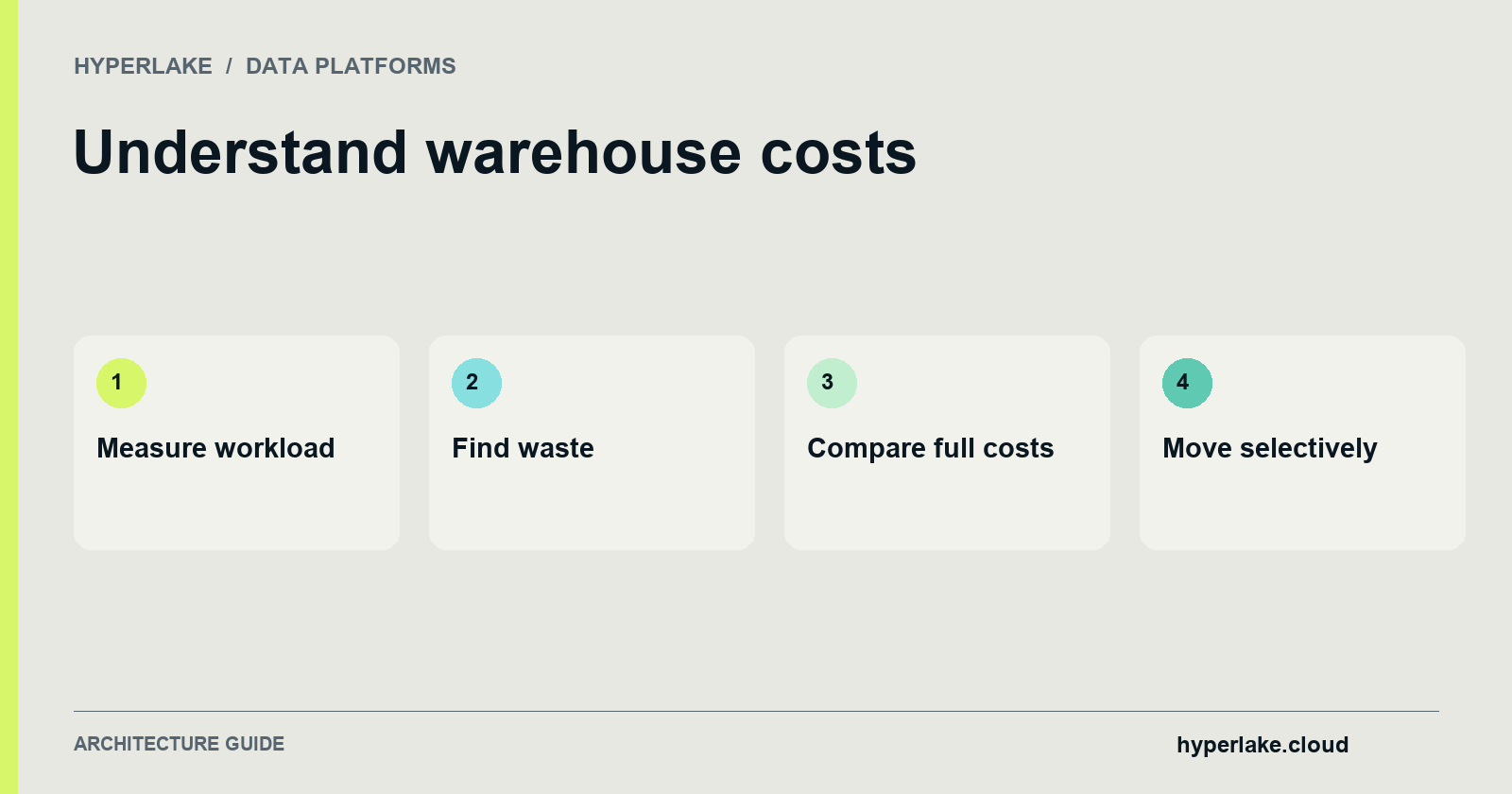
Reduce warehouse costs by measuring usage, reviewing idle compute, improving repeated transformations and checking retention against actual requirements. Compare architectural changes only after including migration, infrastructure and operating effort. No fixed number of active hours guarantees that another platform will be cheaper.
Disclosure: We make Hyperlake. This guide reflects our engineering assessment and links directly to each vendor's and project's official documentation.

Which cost-reduction approach fits the workload?
How do you control idle compute and expensive queries?
Review warehouse activity and ownership before changing settings. Snowflake's cost-control documentation explains the available controls; select settings against workload and service requirements.
Auto-suspend can reduce idle compute, but aggressive suspension can affect cache behaviour and interactive performance. Measure the trade-off rather than choosing one timeout for every warehouse. Snowflake's warehouse-cache guidance explains the relationship.
Review who can resize warehouses, set timeouts and change resource controls. Alerts and limits need an owner who can distinguish a runaway job from a legitimate increase in demand. Check the scope of each control instead of assuming that one monitor caps every charge.
Step 2: How do you cut transformation scan volume?
Admin guardrails stop idle waste, but they do not stop scheduled pipelines from scanning and rewriting terabytes of unchanged data every hour. In transformation-heavy environments, substantial cost reduction comes from refactoring how pipelines process data.
1. Replace full refreshes with incremental models
Rebuilding a large fact table every hour to append new events forces the warehouse to scan, sort, and write the entire historical table 24 times a day.
As documented in the dbt Developer Hub on Incremental Models, configuring models with materialized='incremental' limits the volume of data transformed on each run by filtering and processing only new or updated records since the last run rather than rebuilding entire tables via full refresh.
For pull-request testing in CI pipelines, pair incremental models with dbt clone in Slim CI jobs (state:modified+) to avoid full-refresh rebuilds of large incremental tables in pull-request test schemas.
2. Eliminate SELECT * and filter before joining
Columnar warehouses (including Snowflake and Google Cloud BigQuery) store and scan data by column.
- Column projection: Avoiding
SELECT *(or usingSELECT * EXCEPTin BigQuery) prevents the engine from reading every column when only a subset is needed. Project only required columns in the earliest staging layer. - Pruning-friendly predicates: Use table partitioning and clustering, and filter on partition or clustering keys before executing large joins so the query planner prunes unneeded data blocks.
- Batch loading: In BigQuery, prefer batch loading instead of streaming inserts when real-time latency is unnecessary, and configure table or partition expiration settings.
3. Align schedule cadence and warehouse size to business SLAs
Doubling a Snowflake warehouse size tier doubles its hourly credit rate (for example, X-Small = 1 credit/hour on Gen1, Small = 2 credits/hour, Medium = 4 credits/hour), which only reduces cost if runtime drops proportionally. When a query reaches diminishing returns (for instance, running in 15 minutes on a Small warehouse at 2 credits/hour = 0.50 credits, versus 10 minutes on a Medium warehouse at 4 credits/hour = 0.67 credits), the smaller warehouse consumes 25% fewer credits. Furthermore, dropping a pipeline's schedule from hourly (24 runs/day) to every 6 hours (4 runs/day) for non-operational reporting reduces transformation run frequency by 83%.
How should retention and cold data be reviewed?
Inventory active data, historical copies and retention requirements. Identify the owner of each policy before changing it. Recovery capabilities and regulatory retention may be more important than reducing a storage line item.
Do not convert production tables to a different durability class or disable retention solely to reduce cost. Review the impact with the data owner and rehearse recovery. Archive only data whose access pattern and retention obligations fit the destination.
How should a cost comparison be calculated?
Use the same workload and accounting period. Separate compute, storage, managed services, transfer and operating effort. A reduction in warehouse runtime does not imply the same percentage reduction in the total bill.
For a hypothetical illustration, reducing a workload from 200 to 150 compute-hours is a 25% reduction in hours. Monetary savings depend on the applicable rate and any other changed costs. These figures are arithmetic assumptions, not a measured customer result or a vendor price.
Keep a before-and-after record that includes output correctness and service performance. A cheaper job that misses its delivery window has not met the original requirement.
When should you move workloads off a cloud data warehouse?
Cloud data warehouses excel at elastic, bursty analytical queries where compute spins up for a few minutes, processes a large scan, and suspends. However, four specific workload patterns challenge metered warehouse economics and justify moving workloads onto open lakehouse storage (Apache Iceberg) or owned/reserved infrastructure:
1. Continuous, high-duty-cycle compute (sustained utilisation)
When streaming ingestion, frequent micro-batch transformations, or operational dashboards keep virtual warehouses running continuously, you pay an elastic consumption rate for a steady-state workload. Once a workload requires round-the-clock CPU and memory, running open query engines (Trino, ClickHouse, or DuckDB) on reserved cloud instances, private cloud, or on-premises hardware avoids per-credit compute markups.
2. High-frequency AI agent grounding and tool calls
As enterprises deploy AI agents, copilots, and MCP-connected tools that query structured tables, vector stores, and semantic layers continuously, traditional cloud warehouses face two compounding costs:
- Wake-lock billing: Frequent sub-second agent lookups prevent virtual warehouses from reaching their 60-second
AUTO_SUSPENDwindow. - Per-use AI multipliers: As agents multiply model calls, searches, and jobs, per-use pricing can rise with each action. Running model serving (via KServe) alongside fast analytical and vector engines (ClickHouse, PostgreSQL, Qdrant/Milvus, and Trino over Iceberg) on well-used owned capacity can make additional actions cost relatively little until more hardware capacity is needed.
3. Heavy local dev/test iterations and CI pipelines
Developers running exploratory SQL queries and dbt model tests throughout the day do not need an enterprise cloud cluster for every iteration. Offloading local development and CI validation to embedded DuckDB reading Parquet files or object storage directly avoids idle cluster billing.
4. Strict data residency, sovereignty, and cross-cloud egress
When raw telemetry, financial records, or robotics/Physical AI sensor feeds originate on-premises or in a specific jurisdiction, moving terabytes into a public cloud warehouse adds data transfer costs and compliance scope. Keeping data in open Apache Iceberg tables within infrastructure you control allows both analytical SQL and private AI models to execute where the data resides. For a deeper comparison, see our guide on Data Residency vs. Data Sovereignty for Enterprise AI.
Proposed Reference Architecture: Hybrid Warehouse Cost Offload to an Open Lakehouse
Architectural Label: The diagram below represents a Proposed Reference Architecture for keeping bursty executive BI inside an existing cloud warehouse while offloading continuous transformations, cold historical storage, and 24/7 AI agent grounding to an open Apache Iceberg lakehouse on Kubernetes.

In this architecture, data is stored in Apache Iceberg format on object storage in your environment. Snowflake can read Iceberg tables for occasional executive dashboards (AUTO_SUSPEND = 60), while sustained lakehouse analytics (Trino), fast analytical queries (ClickHouse), and vector/model services (Qdrant/Milvus and KServe) run on Kubernetes without per-second warehouse credit markups.
Where Hyperlake fits (and when to stay in your cloud warehouse)
Hyperlake is the sovereign AI operating platform that lets enterprise and platform teams assemble, deploy, and govern the data, models, applications, and tools behind Physical AI, enterprise agents, and AI-native products in their own environment or their clients' (across AWS, Azure, Google Cloud, OVH, private cloud, and on-premises Kubernetes) with no compute markup.
When Hyperlake is a strong fit:
- AI agents and applications are multiplying your data and model calls: You need a governed data and intelligence foundation (Apache Iceberg and Trino for lakehouse analytics, ClickHouse for fast analytics, PostgreSQL for applications, Redis for state, Kafka for streams, and Qdrant or Milvus for vectors) paired with open model serving (KServe) where owned capacity prevents per-action pricing spikes.
- You want reusable deployment patterns instead of rebuilding platform plumbing: Rather than integrating identity, data services, models, policies, and monitoring from scratch for every project or client, Hyperlake packages them with shared governance (OAuth/OIDC proxy sign-in, validated JWT identity, and OPA policy decisions) managed through an application UI, CLI, and MCP-compatible tools. (Note: Dedicated public documentation for Hyperlake's MCP tools is not yet published.)
- You need workload-aware capacity and infrastructure control: Eligible inference endpoints can scale down when idle, and customers keep their data, models, applications, and keys in infrastructure they control, including on-premises environments. Savings come from reuse, reduced integration effort, and workload-aware capacity rather than a fixed percentage promise; the ROI case is made per workload.
When you should stay in your cloud warehouse instead:
- Your workloads are purely bursty BI and ad-hoc analyst queries: If your virtual warehouses run for only a few hours a day and your bill is manageable after applying Steps 1–3 above, a managed cloud warehouse like Snowflake, BigQuery, or MotherDuck remains simpler than operating dedicated cluster capacity.
- You have no requirement for private AI, sustained agent workloads, or environment ownership: If your team only needs a managed SQL endpoint for standard business reporting, native warehouse cost controls and dbt incremental models address the primary sources of compute and storage waste.
To explore how your data and AI workloads map to open lakehouse and self-hosted economics, see our guide to the Open-Source Data Lakehouse Stack, review our FinOps for AI governance framework, or test your assumptions with our LLM API vs. Self-Hosted Cost Calculator.
Frequently Asked Questions (FAQ)
1. Where should cost optimisation start?
Start with usage and ownership. Review idle compute and expensive jobs, then evaluate changes against performance and recovery requirements. Choose controls with the accountable operator rather than applying one aggressive setting to every workload.
2. Why did my Snowflake bill stay high after I enabled Resource Monitors?
As documented by Snowflake, Resource Monitors only track and suspend user-managed Virtual Warehouses. They do not control credit consumption from serverless features (such as Snowpipe or Automatic Clustering) or AI services (such as Cortex). To monitor and alert on serverless and AI credit usage, you must configure Snowflake Budgets.
3. Does downsizing a Snowflake warehouse always save money?
Not always, because Snowflake bills per second (after a 60-second minimum on start or resize) with each warehouse size tier doubling the credit burn rate. If downsizing a warehouse from Medium (4 credits/hour) to Small (2 credits/hour) causes a query to run twice as long, the credit cost is identical. However, downsizing saves credits whenever the larger warehouse was underutilized or woken frequently for short tasks subject to the 60-second minimum billing rule.
4. How do dbt incremental models reduce cloud data warehouse costs?
Full-refresh table builds reprocess the entire table on every scheduled run. A dbt incremental model (materialized='incremental') limits the volume of data transformed on each run by filtering and processing only new or updated records since the last run. Pairing incremental models with dbt clone in Slim CI (state:modified+) also avoids full-refresh rebuilds during pull-request testing.
5. How should storage costs be reduced safely?
Review retention and recovery requirements with the data owner. Remove unnecessary copies only under an approved policy, and assess durability implications before changing table types.
6. When is moving a workload cheaper?
Only a workload-specific cost comparison can establish that. Include migration, parallel operation, infrastructure, licences, support and people alongside service charges.
Related Resources
- What Does an Open-Source Data Lakehouse Stack Look Like?
- Data Lake vs. Data Warehouse vs. Data Lakehouse: Which One Do You Actually Need?
- Apache Iceberg vs. Delta Lake: How to Choose
- FinOps for AI: Govern What You’re Actually Spending
- AI Cost Observability: See Spend Before the Bill Arrives
All trademarks belong to their respective owners. Contact the Hyperlake team.