To run generative AI on Kubernetes well, treat GPUs as a scheduled, shared and monitored resource, not as a feature that comes with the nodes. In practice: install the vendor driver stack through an operator, request GPUs explicitly, keep GPU nodes apart from everything else, put a queue in front of batch work, serve models from a dedicated inference layer with its own routing and autoscaling, and apply the same identity, secrets and network controls you'd use for any production workload.
We make HyperLake, a sovereign AI operating platform whose foundation uses Kubernetes. The section on where it fits says what that does and doesn't cover.

What does a generative AI architecture on Kubernetes look like?
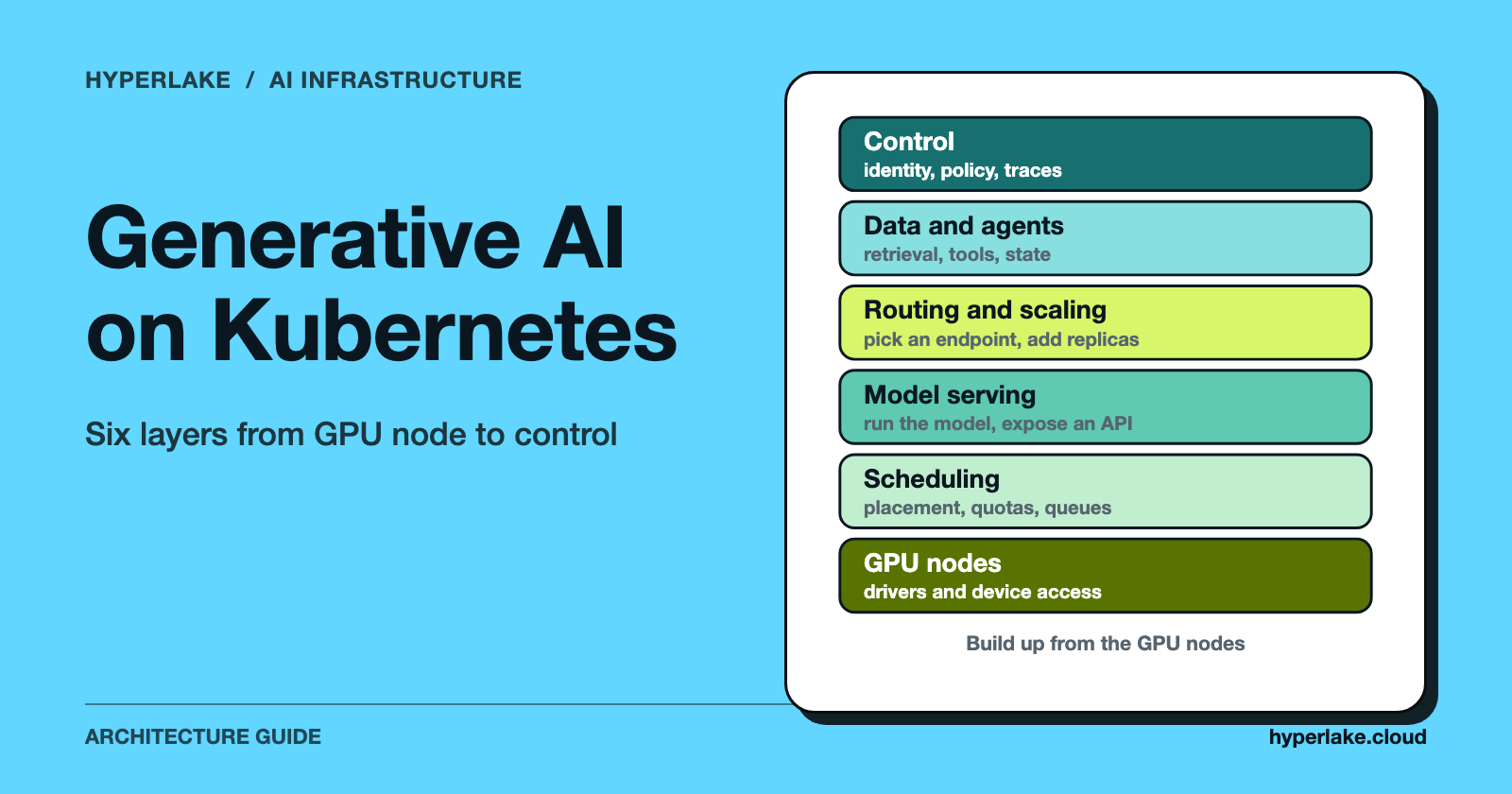
Think in layers. Each one has a few well-known open-source building blocks, and in our experience trouble comes from skipping a layer far more often than from picking the wrong tool.
| Layer | Job | Examples |
|---|---|---|
| GPU nodes | Drivers, runtime, device exposure | Device plugin, NVIDIA GPU Operator |
| Scheduling | Placement, quotas, queues | Taints, node labels, Kueue, DRA |
| Model serving | Run the model, expose an API | vLLM, KServe, LeaderWorkerSet |
| Routing and scaling | Pick an endpoint, add replicas | Gateway API Inference Extension, HPA |
| Data and agents | Retrieval, tools, state | Vector store, queues, agent services |
| Control | Identity, policy, observability | OIDC, OPA, metrics, traces |
The rest of this guide works down that table. Treat it as a map, not a mandate. A small team serving one model can fold several layers into one Deployment and a Service.
How do you set up GPU orchestration on a cluster?
Kubernetes has no idea what a GPU is until a vendor plugin tells it. According to the Kubernetes documentation on scheduling GPUs, you install the vendor's drivers on the nodes and run the vendor's device plugin, and then the cluster exposes a schedulable resource such as nvidia.com/gpu or amd.com/gpu. The same page says containers request GPUs in limits only (the request defaults to the limit), and that if both are set they must be equal.
Doing that by hand on every NVIDIA node gets old fast. NVIDIA's GPU Operator automates the software stack, and its documentation lists the drivers, the Kubernetes device plugin, the container toolkit, GPU Feature Discovery for node labelling and DCGM-based monitoring among the components it manages.
If your cluster mixes GPU types, label the nodes and use node selectors so each job lands on the right hardware. The Kubernetes page above also describes Node Feature Discovery for automatic labelling.
Keep GPU nodes dedicated
GPU nodes are expensive and very easy to waste. A common pattern is to taint them so ordinary pods stay off, and add a matching toleration only to workloads that need a GPU. Kubernetes documents how this works: a NoSchedule taint stops new pods without a matching toleration from being scheduled on the node, and pods already running aren't evicted. A toleration only permits placement, though. Pair it with a node selector or affinity to actually steer GPU workloads onto the GPU pool.
How should you share GPUs between workloads?
Giving every pod a whole GPU is simple, and wasteful for small models. There are three options worth knowing.
- Time-slicing. According to NVIDIA's GPU Operator documentation, you define a number of replicas per GPU and pods take turns on it. The same page says that, unlike MIG, there's no memory or fault isolation between replicas, and that requesting more than one time-sliced GPU doesn't give a pod proportionally more compute.
- MIG (Multi-Instance GPU). On GPU generations that support it, NVIDIA describes MIG as partitioning a GPU into instances with memory and fault isolation at the hardware level.
- Dynamic Resource Allocation (DRA). Kubernetes documents DRA as the newer way to request and share devices. Its page lists the device-plugin limits DRA addresses: per-container requests, no device sharing and no expression-based filtering. DRA adds filtering with CEL expressions, sharing through resource claims, and device classes. The same page says DRA is stable since Kubernetes v1.35 and notes the scheduler doesn't support preemption for DRA resources.
Our read: time-slicing for trusted internal workloads where isolation matters less, MIG where tenants mustn't affect each other, and check which Kubernetes version and driver you're running before you build on DRA.
How do you run LLM inference on Kubernetes?
Inference is a long-running service, not a batch job. It usually runs as a Deployment (or a higher-level serving resource) behind a Service. The vLLM documentation has a Kubernetes page that shows the moving parts, and the illustration below follows its structure. It's a simplified sketch, not a production manifest, and the model name is a placeholder.
# Illustration only: adapted in structure from the vLLM Kubernetes docs
apiVersion: apps/v1
kind: Deployment
metadata:
  name: llm-server
spec:
  replicas: 1
  selector:
    matchLabels: { app: llm-server }
  template:
    metadata:
      labels: { app: llm-server }
    spec:
      tolerations:
        - key: "dedicated"
          operator: "Equal"
          value: "gpu"
          effect: "NoSchedule"
      containers:
        - name: server
          image: vllm/vllm-openai:latest   # pin a version in real use
          args: ["--model", "example-org/example-model"]
          ports:
            - containerPort: 8000
          resources:
            limits:
              nvidia.com/gpu: "1"
          volumeMounts:
            - { name: cache, mountPath: /root/.cache/huggingface }
            - { name: shm, mountPath: /dev/shm }
          readinessProbe:
            httpGet: { path: /health, port: 8000 }
            initialDelaySeconds: 60
      volumes:
        - name: cache
          persistentVolumeClaim: { claimName: llm-model-cache }
        - name: shm
          emptyDir: { medium: Memory, sizeLimit: 2Gi }
A few points from the vLLM page worth copying into your own design:
- Cache the model on a volume. The page mounts a PersistentVolumeClaim at the Hugging Face cache path so restarts don't re-download the weights.
- Mount shared memory. The page notes vLLM needs access to the host's shared memory for tensor-parallel inference and mounts an in-memory
emptyDirat/dev/shm. - Give startup room. The page lists a startup or readiness probe
failureThresholdthat's too low for the server's start-up time as a cause of failed starts, and suggests raising it. Large models load slowly, so be generous with probe delays. - Keep tokens in Secrets. A gated model's access token belongs in a Secret, never in the image.
For choosing a serving engine, see SGLang vs TensorRT-LLM for Production Inference and Triton Inference Server: Dynamic Batching Architecture.
Models too big for one node
Some models have to be sharded across devices on several nodes. LeaderWorkerSet is a Kubernetes API for deploying a group of pods as one unit of replication, aimed at multi-host inference. Its README describes a leader plus workers per replica, group-level rolling updates and scaling, and opt-in all-or-nothing restart, so the whole group gets recreated if one pod fails. If your stack is built on Ray, KubeRay is the recommended way to run Ray on Kubernetes, managing Ray clusters as a head pod plus workers.
How do routing and autoscaling work for LLMs?
Plain round-robin load balancing treats every replica the same. LLM replicas aren't the same. One may already hold the prompt prefix in cache, or have a LoRA adapter loaded. The Gateway API Inference Extension tackles this. Its documentation describes pairing a compatible gateway with an Endpoint Picker that uses model-server metrics, such as prefix cache status or LoRA adapter availability, to choose an endpoint. It also supports routing by model name, ranking models so latency-sensitive traffic goes first, and splitting traffic between model versions. For the cluster-level idea behind it, see KV Cache Routing: Cluster-Level Inference Optimization.
On scaling, the Kubernetes Horizontal Pod Autoscaler can use custom and external metrics as well as CPU, through the custom.metrics.k8s.io and external.metrics.k8s.io APIs, and runs its control loop every 15 seconds by default. CPU is a poor signal for a GPU-bound server. Scale on something that tracks demand, like queue depth or requests in flight, exposed as a metric. And remember a new replica needs a free GPU plus time to load weights, so autoscaling is slower than for a typical web service. Keep headroom, or accept the delay.
KServe packages much of this. As of October 2026, its documentation describes a CNCF incubating project for deploying models across cloud and on-premises environments, with OpenAI-compatible APIs for chat completion, streaming and embeddings, and metric-based autoscaling on signals such as token throughput, queue depth and GPU utilization.
How do you schedule training and batch jobs next to inference?
Fine-tuning, evaluation and batch embedding jobs all fight inference for the same GPUs. Without controls, one long job can starve a production endpoint. Kueue is a Kubernetes-native system for quotas and queueing. Its documentation describes priority-ordered queues, fair sharing among tenants, preemption, all-or-nothing admission, and support for Jobs, JobSet, Ray resources and LeaderWorkerSet, among others.
A policy that works: give inference a guaranteed pool, give batch work a lower-priority queue that can borrow idle capacity, and let Kueue decide when each job starts. For how the infrastructure needs differ, see AI Inference vs Training: Understanding Infrastructure Requirements in 2026.
How do AI agents fit on Kubernetes?
Most of an agent isn't GPU work at all. The model call goes to your inference endpoint. The agent itself is ordinary software that plans, calls tools and keeps state. Three things follow.
- Run agents on CPU nodes, away from the GPU pool, and scale them on queue depth or request rate.
- Give each agent a narrow identity. Scoped service accounts, per-tool credentials in Secrets and network policies that allow only the endpoints the agent needs all limit the damage from a bad tool call. See Task-Based Access Control for AI Agents.
- Make long tasks durable. Pods get rescheduled, so keep task state in a queue or database and a restart picks up where it left off.
For the control-layer view, see Agentic Control Plane: Orchestration and Governance.
What does an enterprise-grade setup need beyond the cluster?
Scheduling and serving are the visible part. Enterprise reviews tend to ask about everything else.
- Identity and policy. Authenticate people and workloads, and make authorization decisions in one place, not separately in each service.
- Data boundaries. Decide which data the model and its tools may reach, and where prompts and outputs get logged.
- Observability. Track GPU utilization, queue depth, latency and errors, plus model-level quality and cost. See LLM Observability: Traces, Quality, Cost, and Drift.
- Failure handling. Plan for losing a node and for a model endpoint going down. See LLM Failover and Load Balancing.
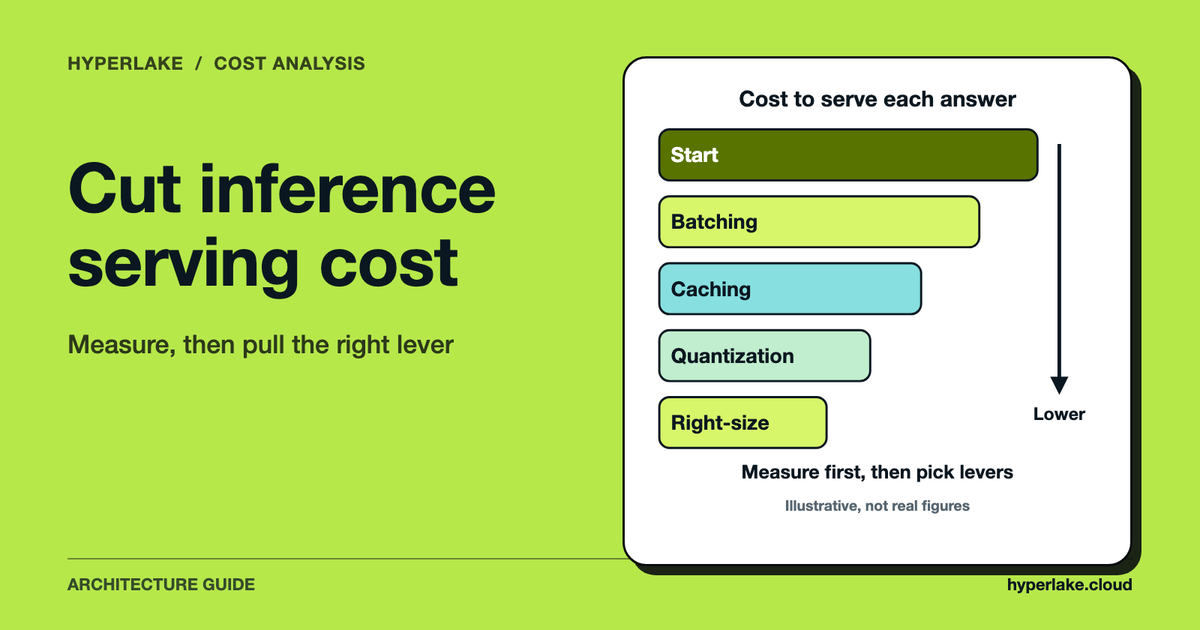
- Cost. Idle GPUs are an easy way to lose money. See AI Inference Cost Optimization and the LLM API vs Self-Hosted GPU Cost Calculator.
Still deciding whether to host at all? Read Is Self-Hosting an LLM Worth It vs an API? and How Many GPUs Do I Need to Serve an LLM?. For hardware planning, see How to Build an On-Prem GPU Cluster for AI.
Where does HyperLake fit?
According to HyperLake's product description, its foundation uses Kubernetes to keep services portable and manageable across infrastructure. It runs in the customer's own cloud account on AWS and Google Cloud today, with private cloud, on-premises and other environments coming soon. The platform aims to package identity, data services, models, applications, policies and monitoring together, with sign-in through an OAuth/OIDC proxy, scoped JWT identity and OPA policy decisions, so each project doesn't have to reassemble them.
To be clear about what that isn't: HyperLake doesn't replace the building blocks above. You still need GPU drivers, a serving engine and sensible scheduling, and the right choices depend on your hardware and workloads. We're not claiming here that any particular project in this guide ships in a given HyperLake deployment, so ask the team what a specific deployment includes. For a worked reference in another domain, see Sovereign Physical AI Stack on Kubernetes: Reference Architecture.
Frequently asked questions
Can you run generative AI on Kubernetes?
Yes. Kubernetes schedules GPUs through vendor device plugins, and serving engines such as vLLM document Kubernetes deployments. The real work is in GPU management, model loading time, routing and governance.
How do you request a GPU in Kubernetes?
Install the vendor driver and device plugin, then set the GPU resource, such as nvidia.com/gpu: 1, under the container's limits. The Kubernetes documentation says GPUs go in limits only, and a request, if you set one, must equal the limit.
Can multiple pods share one GPU?
They can, with trade-offs. Time-slicing lets pods take turns but gives no memory or fault isolation, while MIG partitions supported GPUs with hardware isolation. DRA, stable since Kubernetes v1.35 according to its documentation, adds claim-based sharing.
What is the difference between KServe and running vLLM directly?
vLLM is an inference engine you can run in a Deployment. KServe is a serving layer on Kubernetes that, per its documentation, manages the serving lifecycle through an InferenceService resource and can use engines such as vLLM. Running vLLM directly is simpler, and KServe gives you a standard interface.
Does Kubernetes scale GPU workloads to zero?
Don't assume so. The standard autoscaling example in the Kubernetes documentation uses a minimum of one replica and a CPU target, which fits GPU services badly. Whether you get scale-to-zero depends on your autoscaler and Kubernetes version, so check its documentation, and remember a cold start has to reload model weights.
Should AI agents run on the GPU nodes?
Usually not. Agents mostly call a model endpoint and tools, so CPU nodes suit them fine. Save the GPU nodes for model servers and batch jobs.